9 min read
LinkedIn Open to Work: who can actually see it?
LinkedIn Open to Work has three visibility settings. Learn who sees the green banner, what recruiters see, what your employer can see, and which one to pick.

On this page
- What does Open to Work mean on LinkedIn?
- What do recruiters see when you choose Recruiters only?
- Can your current employer see Open to Work?
- Does the Open to Work banner hurt your chances?
- Open to Work is a priority signal, not proof that you fit
- LinkedIn may identify “active talent” even without Open to Work
- What does LinkedIn private mode hide?
- Which LinkedIn Open to Work setting should you use?
- How to turn on LinkedIn Open to Work without the green banner
- FAQ
- The bottom line
You can use LinkedIn Open to Work without adding the green banner to your profile photo. Choose Recruiters only, and LinkedIn will privately share your job-seeking preferences with people using LinkedIn Recruiter. Your profile can then appear in a dedicated Open to Work Spotlight when it matches a recruiter’s search.
That is the part most arguments about the Open to Work banner miss. The public banner and the recruiter signal are two different choices.
What does Open to Work mean on LinkedIn?
LinkedIn Open to Work is a job-seeking preference that tells LinkedIn what roles you want and who may see that you are open to opportunities. You can add target job titles, locations, workplace types, job types, and your preferred start date.
The important choice is visibility. LinkedIn currently offers three options:
- Everyone on LinkedIn. Your profile photo receives the green #OpenToWork photo frame, which is what people mean when they say the Open to Work banner, and your job search is visible to anyone who can see your profile.
- Recruiters only. Your profile has no green banner. Your career interests are shared privately with people using LinkedIn Recruiter.
- Visible only to you. LinkedIn uses your preferences to improve your job recommendations, but it does not show an Open to Work signal to other people.
So “turning on Open to Work” does not always mean making a public announcement. You decide whether it is a broadcast, a recruiter-only signal, or simply a way to tune your own recommendations.
LinkedIn’s Open to Work help page explains the current settings and how to change them.
What do recruiters see when you choose Recruiters only?
Recruiters using LinkedIn Recruiter have an Open to work Spotlight. It highlights people who both match the recruiter’s search and have privately said they are open to hearing about new opportunities.
That sequence matters:
The recruiter searches for qualified candidates first. Open to Work then helps them decide whom to approach.
Imagine a recruiter searches for a product manager in Seattle with B2B SaaS experience. Turning on Open to Work does not place every product manager at the top of the results. It gives the recruiter a way to prioritize the matching candidates who are more likely to respond.
LinkedIn describes Spotlights as tools that prioritize candidates based on activity, interests, and relationship signals. In other words, Open to Work is an intent signal, not a qualification.
This is also why the green banner is optional. A candidate can appear in the Open to Work Spotlight without displaying the public banner. LinkedIn’s Recruiter Spotlight documentation describes the Spotlights a recruiter can filter by.
Can your current employer see Open to Work?
If you choose Everyone on LinkedIn, assume the answer is yes. The green banner is public to people who can view your profile, including coworkers and people at your current company.
If you choose Recruiters only, LinkedIn says it takes steps to prevent LinkedIn Recruiter users at your current company from seeing your shared career interests. It uses the employer marked as your current company on your profile to decide where to hide the signal.
But LinkedIn is explicit about the limit: it cannot guarantee complete privacy.
That means Recruiters only is discreet, not secret. It reduces the chance that your employer’s recruiting team will see the signal inside LinkedIn Recruiter, but it is not a confidentiality agreement. Your employer could still learn that you are job hunting through your network, applications, conversations, or changes in your behavior.
If discretion matters, check that your current role is marked I am currently working here and that the company is linked correctly on your profile. That is the information LinkedIn says it uses for this protection.
Does the Open to Work banner hurt your chances?
There is no universal yes-or-no answer, because the green banner and the recruiter-only signal do different jobs.
The public Open to Work banner can help when you want your broader network to know you are looking. Former coworkers, friends, clients, and second-degree connections may see it and think of a relevant opening. That reach is useful during a public or urgent search.
The downside is also reach. Everyone sees the same message, including people you may not want involved. Some job seekers also dislike the way the banner changes the first impression of their profile.
You do not have to accept that tradeoff to get the private recruiter signal. Recruiters only gives you the discoverability benefit inside LinkedIn Recruiter without the public banner.
The more useful question is not “Does the banner look desperate?” It is:
Do I want help from my whole network, or do I only want to signal recruiters?
Choose the setting that answers that question. Do not let a debate about the banner stop you from using the recruiter-only option.
Open to Work is a priority signal, not proof that you fit
Open to Work can make a recruiter more willing to review or contact you, but it cannot rescue a weak match.
Recruiters still search by criteria such as role, skills, location, experience, seniority, and company background. Only after they have a plausible candidate pool do intent signals become useful. Between two similarly qualified people, the person who has said “I am open to hearing from you” may be the easier first message.
Think of it this way:
- Your profile answers Can this person do the job?
- Open to Work answers Is this person likely to engage now?
You need both answers working in your favor. Turning on the setting takes seconds. Making your profile clearly communicate your fit takes more work, and matters more.
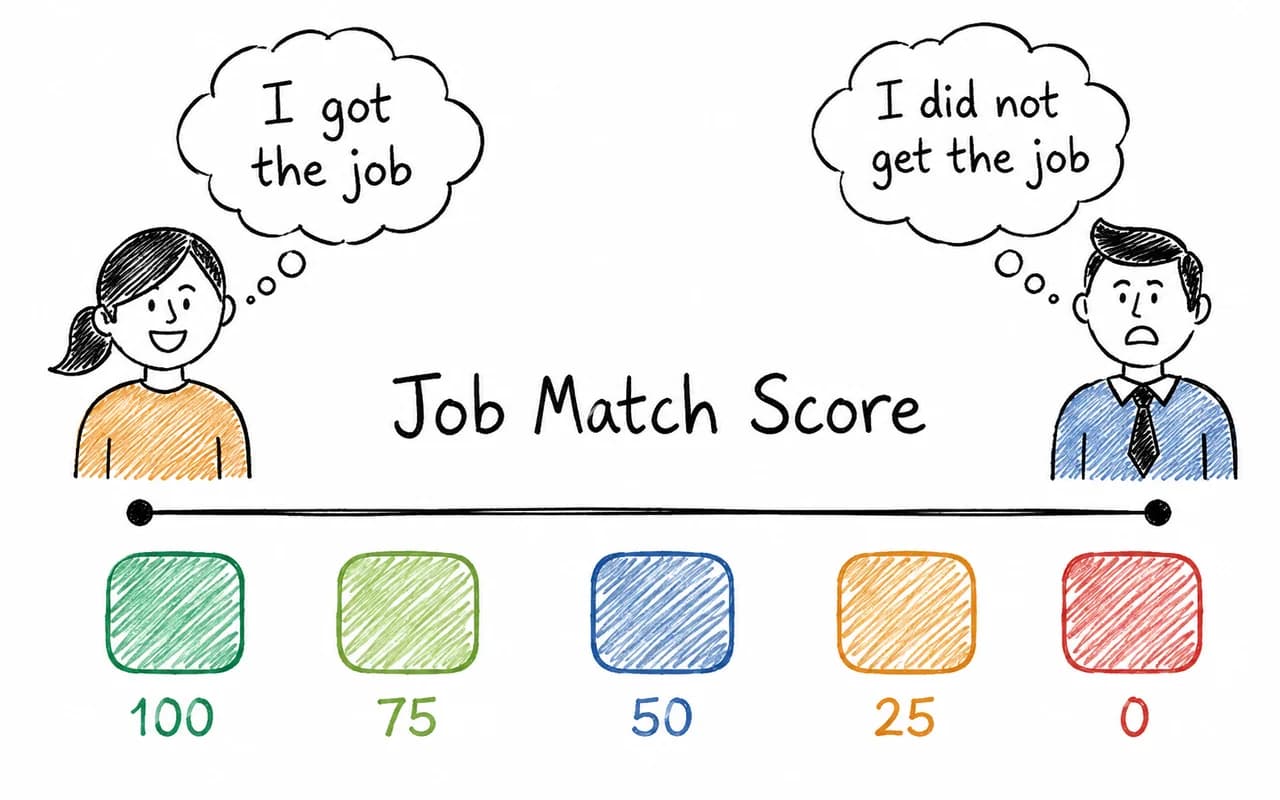
Before applying, use JobQuest Job X-ray to see the responsibilities and skills that matter in a job description. Then check your Job Match Score and make sure your resume presents the same clear professional story as your LinkedIn profile. It is part of JobQuest’s four-step path from resume to application.
LinkedIn may identify “active talent” even without Open to Work
Not turning on Open to Work does not necessarily make you invisible as a possible job seeker.
LinkedIn Recruiter has a separate Active talent Spotlight. According to LinkedIn, it can use signals such as recent profile updates, sharing a resume with recruiters, staying in a role longer than the typical tenure for similar roles, or working at a company with recent layoffs. A recruiter may see this summarized as Engaged in job market.
This is an inference by LinkedIn, not a statement you made. It also does not mean a recruiter knows that you are actively applying. It means your activity or situation suggests you may be more likely to respond.
Open to Work is still the clearest signal because it is explicit. Active talent is LinkedIn making an educated guess.
What does LinkedIn private mode hide?
LinkedIn private mode is separate from Open to Work. It controls what another person sees when you view their profile. It does not hide your profile from recruiter searches, and it does not replace your Open to Work visibility setting.
LinkedIn gives you three profile-viewing options:
- Your name and headline: The person can see who viewed their profile.
- Private profile characteristics: They see limited details such as your job title, company, school, or industry.
- Private mode: You appear as an anonymous “LinkedIn Member.”
Private mode is useful when you want to research hiring managers, recruiters, interviewers, or employees without announcing every click. But there is a cost on a free LinkedIn account: if you browse in private or semi-private mode, you lose access to the list of people who viewed your own profile.
Premium members can browse privately and still see their viewer list, but nobody can reveal the identity of someone who viewed them in private mode. LinkedIn’s private browsing documentation explains the difference.
For many job seekers, the sensible setup is:
- Open to Work: Recruiters only
- Profile viewing: Your name and headline for networking, or private mode for quiet research
These settings solve different problems. One controls whether recruiters know you are open. The other controls whether people know you looked at them.
Which LinkedIn Open to Work setting should you use?
You are employed and searching quietly
Choose Recruiters only. You keep the green banner off while giving recruiters a clear intent signal. Privacy is improved, not guaranteed.
You are unemployed and want maximum reach
Choose Everyone on LinkedIn. Your network can see that you are looking and may surface opportunities you would not find alone.
You are a contractor, freelancer, or consultant seeking work
Choose Everyone on LinkedIn if availability helps you sell your services. In this situation, public visibility is usually an asset rather than a risk.
You only want better job recommendations
Choose Visible only to you. LinkedIn can use your preferences without showing an Open to Work signal.
You are researching recruiters or hiring managers before applying
Keep your name and headline visible. A profile view can make you more memorable or prompt a return visit. Use private mode only when discretion matters.
You want recruiters to find you, but your profile is vague
Fix the profile first, then choose Recruiters only. Open to Work helps prioritize a match; it does not create one.
How to turn on LinkedIn Open to Work without the green banner
Keep two things apart before you start. Your profile has its own visibility settings, and your job preferences have a separate one. The steps below change who can see your job preferences, not who can see your profile, and neither of them is private mode.
On your LinkedIn profile:
- Select Open to.
- Choose Finding a new job.
- Add the job titles, locations, workplace types, and job types you want.
- Under visibility, choose Recruiters only.
- Save your preferences.
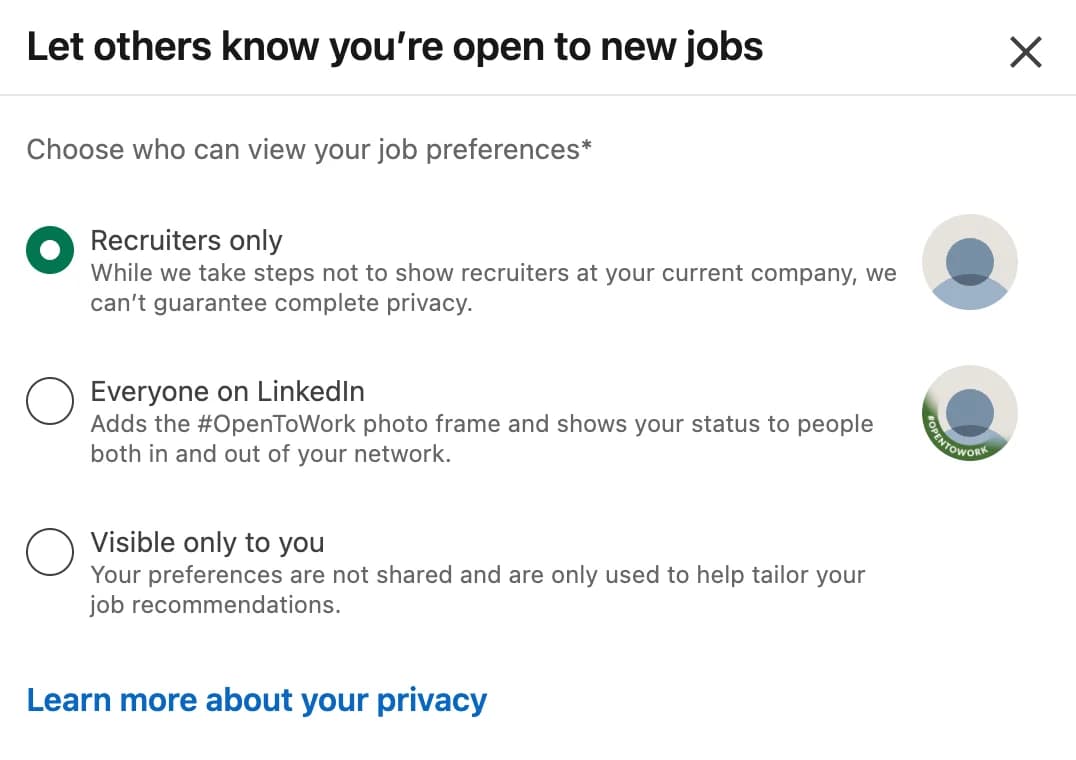
LinkedIn changes labels and layouts occasionally, but the key choice is the same: select Recruiters only rather than Everyone on LinkedIn if you do not want the green #OpenToWork frame.
FAQ
What are LinkedIn job preferences?
They are where you tell LinkedIn what you are looking for: job titles, locations, workplace types, job types, and your preferred start date. Open to Work is not a separate feature. It is the visibility setting on those preferences, so job preferences say what you want and Open to Work decides who can see it.
Can recruiters see Open to Work without the green banner?
Yes. If you choose Recruiters only, people using LinkedIn Recruiter can see your private Open to Work signal, and matching candidates can appear in the Open to work Spotlight. The green banner is added only when you choose Everyone on LinkedIn.
Can my employer see that I am Open to Work on LinkedIn?
The public setting is visible to people at your current company. With Recruiters only, LinkedIn takes steps to hide the signal from Recruiter users at your current employer, but it does not guarantee complete privacy.
Does Open to Work make recruiters contact you?
Not by itself. Open to Work tells recruiters that a matching candidate may be more likely to respond. Your role, skills, experience, and location still determine whether you match the search.
Should I use the Open to Work banner on LinkedIn?
Use the public banner if you want your whole network to know you are looking. Choose Recruiters only if you want recruiter visibility without the green banner. For most employed job seekers running a discreet search, Recruiters only is the better default.
Does LinkedIn private mode hide Open to Work?
No. Private mode controls what people see when you view their profiles. Open to Work controls who can see your job-seeking preferences. You can use either setting independently.
Can Premium users see who viewed them in private mode?
No. Premium users can keep access to their viewer list while browsing privately, but they still cannot identify a person who viewed their profile in private mode.
The bottom line
LinkedIn Open to Work is not one giant green announcement. It is a visibility control.
If you want a public job search, use the banner and let your network help. If you want a quieter search, choose Recruiters only. You can still appear in the Open to work Spotlight without putting the green banner on your photo.
Just remember what the setting can and cannot do. It can tell a recruiter you are ready to talk. Your profile still has to give them a reason to start the conversation.